
A mirror for your life.

A journal that reflects back. Write honestly and Liminal offers something in return, a different perspective, a quiet observation, the thread you hadn't noticed yet. Local AI, local data. Nothing leaves your computer.

Liminal is a journaling companion, not a therapist, doctor, or psychologist. The reflections you receive are AI-generated, sometimes surprisingly insightful, sometimes way off. Think of it as a thoughtful friend with a good bookshelf, not a licensed professional.

"Trust in God, but tie your camel."

v1.5.0 · Windows & macOS · Free & source-available New

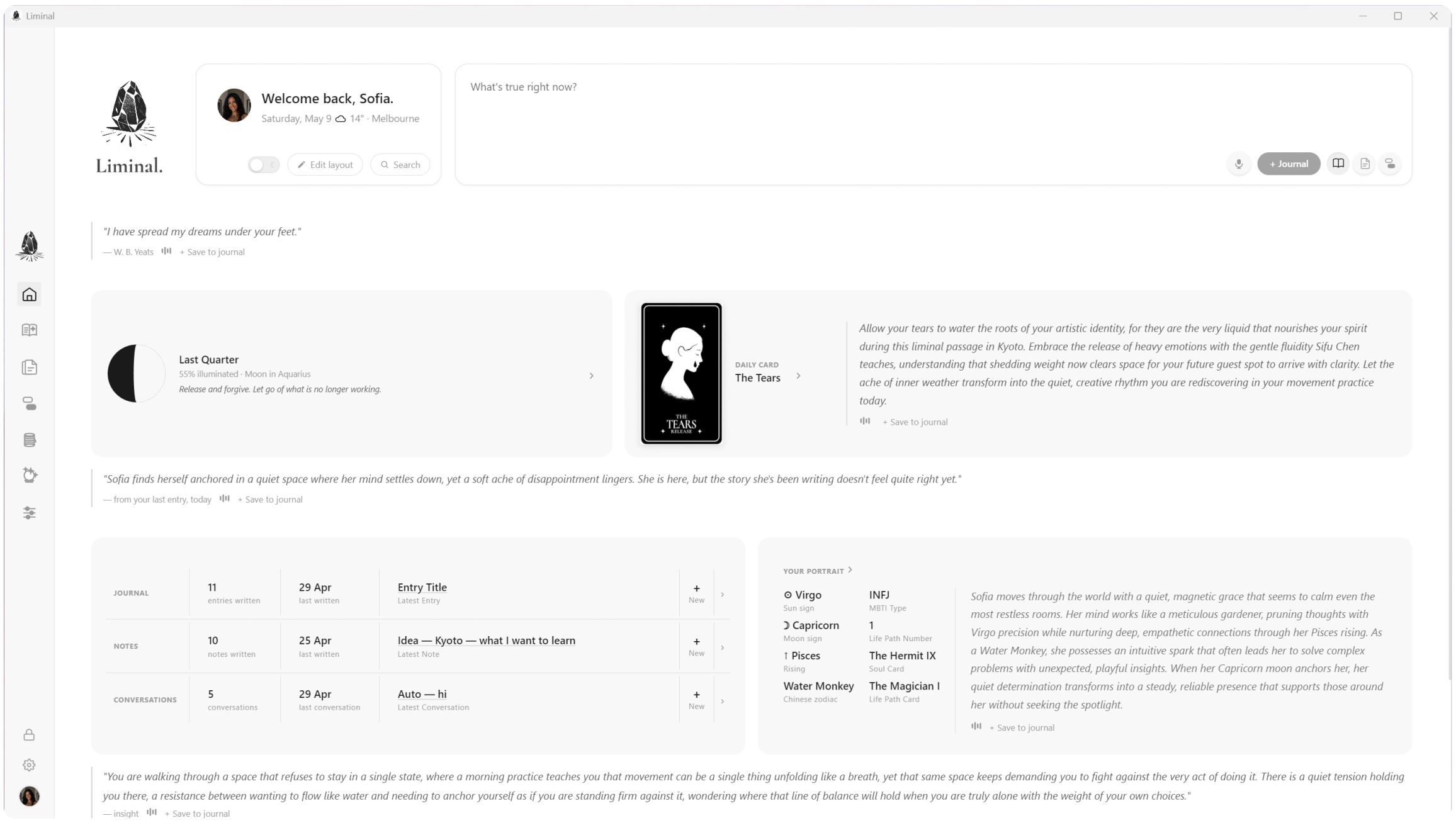
Liminal home screen

How this started

For a few years my practice was simple. I'd journal, then I'd take what I wrote and paste it into ChatGPT, asking it to play devil's advocate, reflect things back from a different angle, or call out the places I was bypassing my own feelings. That second voice was the part that actually moved me. It's what broke me out when I was stuck in a frame.

The catch is you have to hand your most private writing over to whoever's behind the API. Liminal puts that whole loop in one app, but private. You write. Voices reflect back. And the AI can run on your own machine, locally, so nothing leaves your computer. No subscription. No account. If you've got a decent laptop, it just works, and the only cost is the electricity it uses.

You can plug in a paid model like Claude or GPT for sharper reflections if you want to. But you don't have to. The local option is real, and it does the job.
Your stuff is yours. Period.

Liminal will never have access to your data. Everything lives on your machine, encrypted, and it never leaves unless you decide to move it. No accounts, no cloud sync, no analytics. Nothing phones home.

That also means the responsibility is on you. Back up your journals. Keep your .liminal backup files somewhere safe. If your hard drive dies and you don't have a backup, that data is gone. We built the tools to make it easy. The rest is up to you.

New

Hardware key 2FA

Liminal supports any FIDO2 security key, like YubiKey or Google Titan, as an optional second factor for unlocking your journal. When enabled, your password alone isn't enough. You also have to physically tap the key. The key's secret never leaves the device, so even someone who got hold of your laptop and knew your password still couldn't get in.

Setup takes a few seconds in Settings > Hardware key. We recommend buying two and registering both, one for daily use and one tucked away as a spare.

What's inside

Journal, Notes, Conversations

Three ways to show up. Write what's on your mind, jot something down, or have a conversation with voices that actually get you.

Mirror reflections

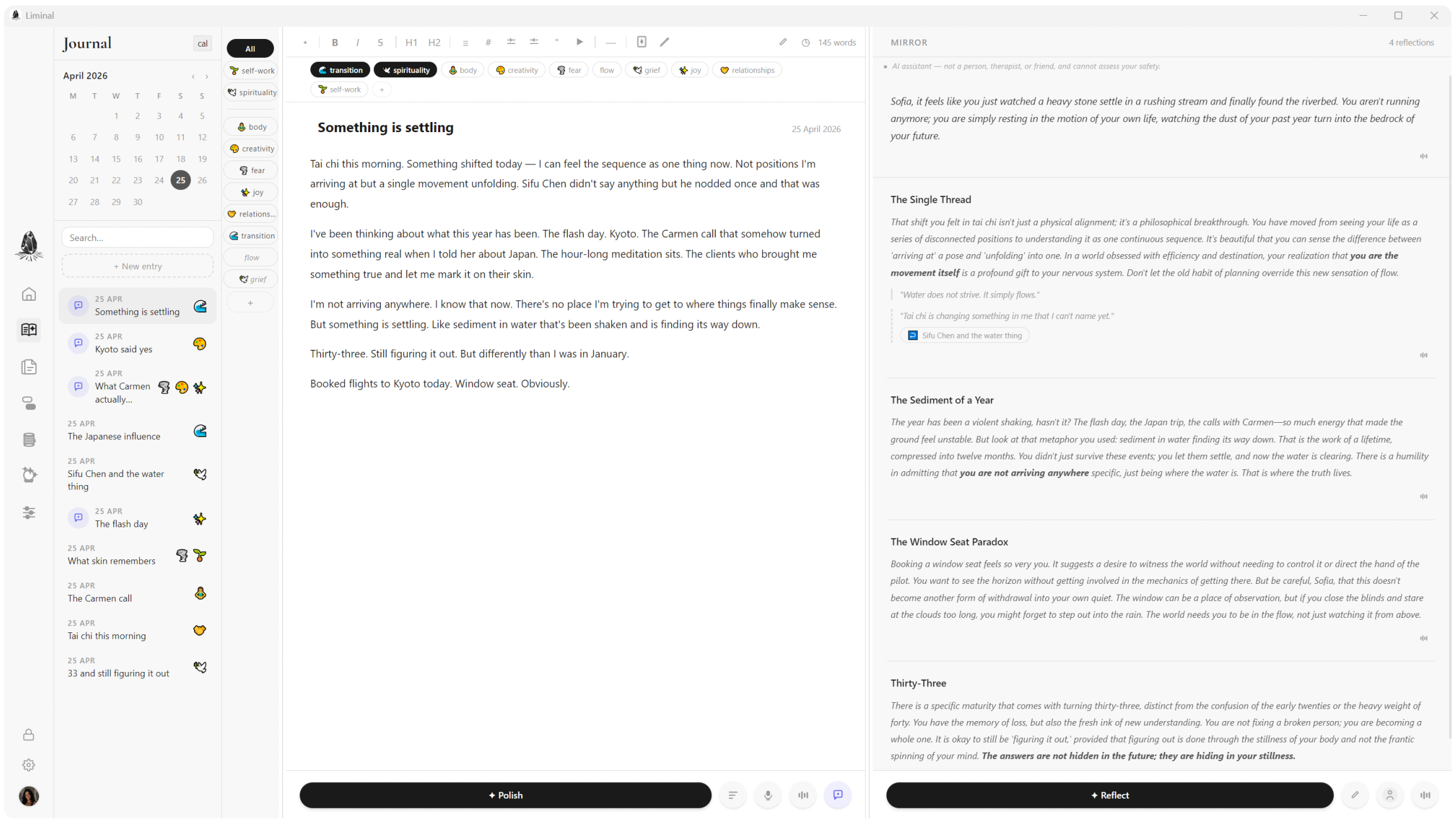
After you write, the mirror speaks back in archetypal voices. You can edit them, regenerate, or just ignore them. No pressure.

The Oracle

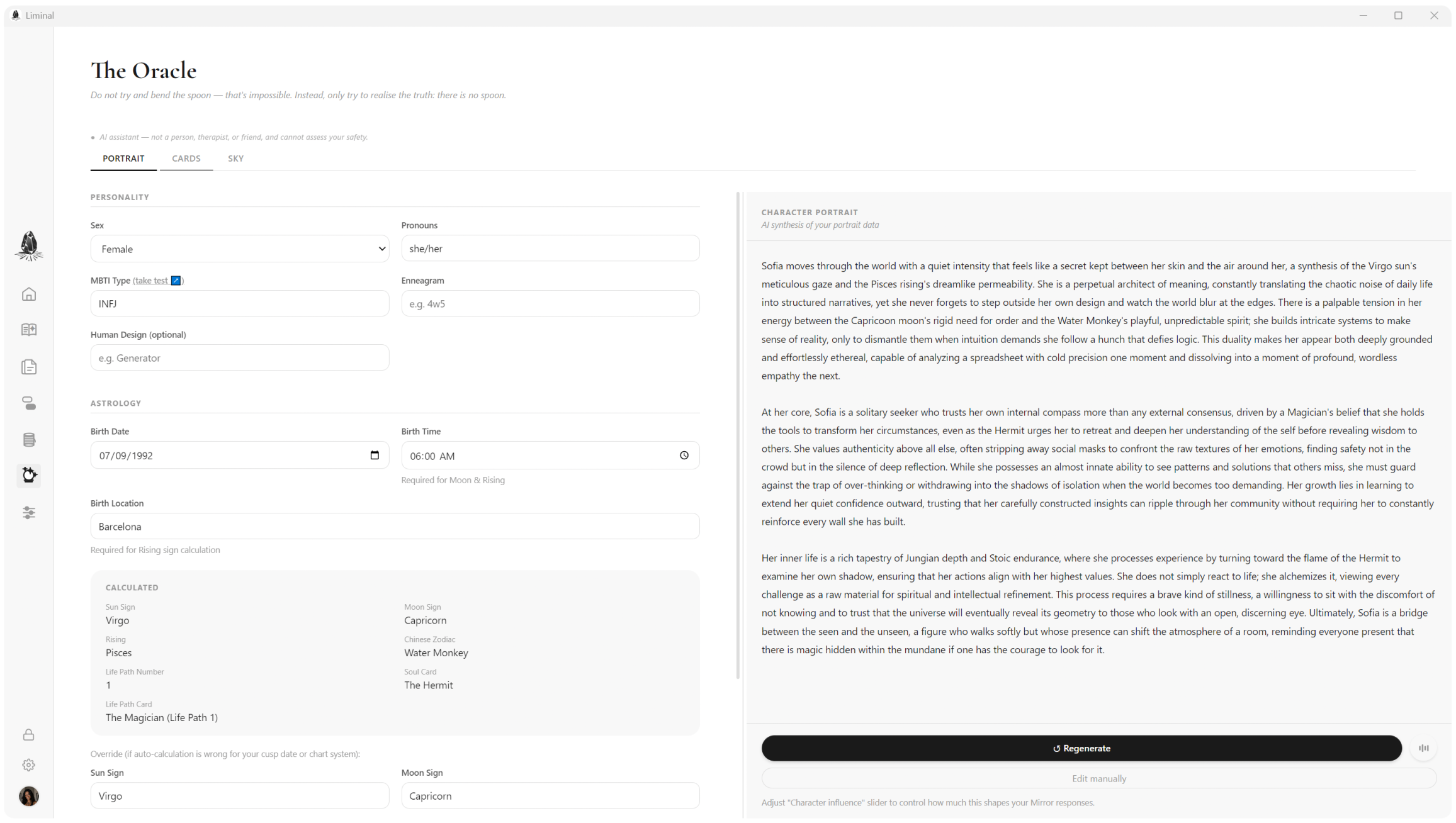
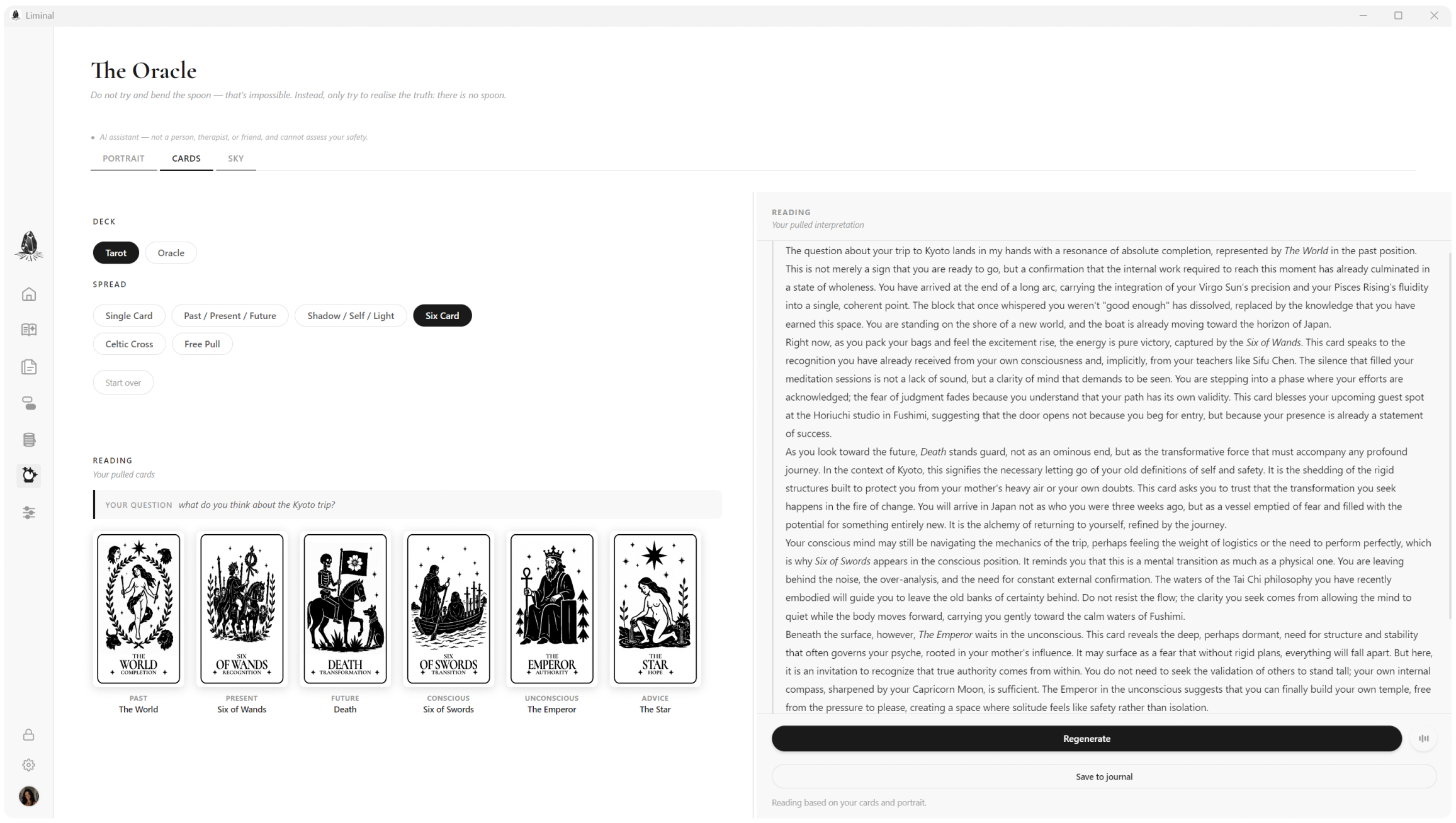
A portrait that evolves with you, the day's astrology, a tarot pull. Little things woven in that make it feel alive.

It remembers you

Liminal builds a memory of your story over time, so when it reflects back, it's not starting from scratch. It knows where you've been.

Encrypted backups

One-click encrypted .liminal backup files. You can set it to auto-backup every time you close the app. Easy to restore, easy to move.

Completely private

Your data lives on your machine and nowhere else. The only network calls are to the AI providers you choose to configure. That's it.

A few things you'll find

Journal with mirror reflections
Journal. Write what's real, let the mirror answer.
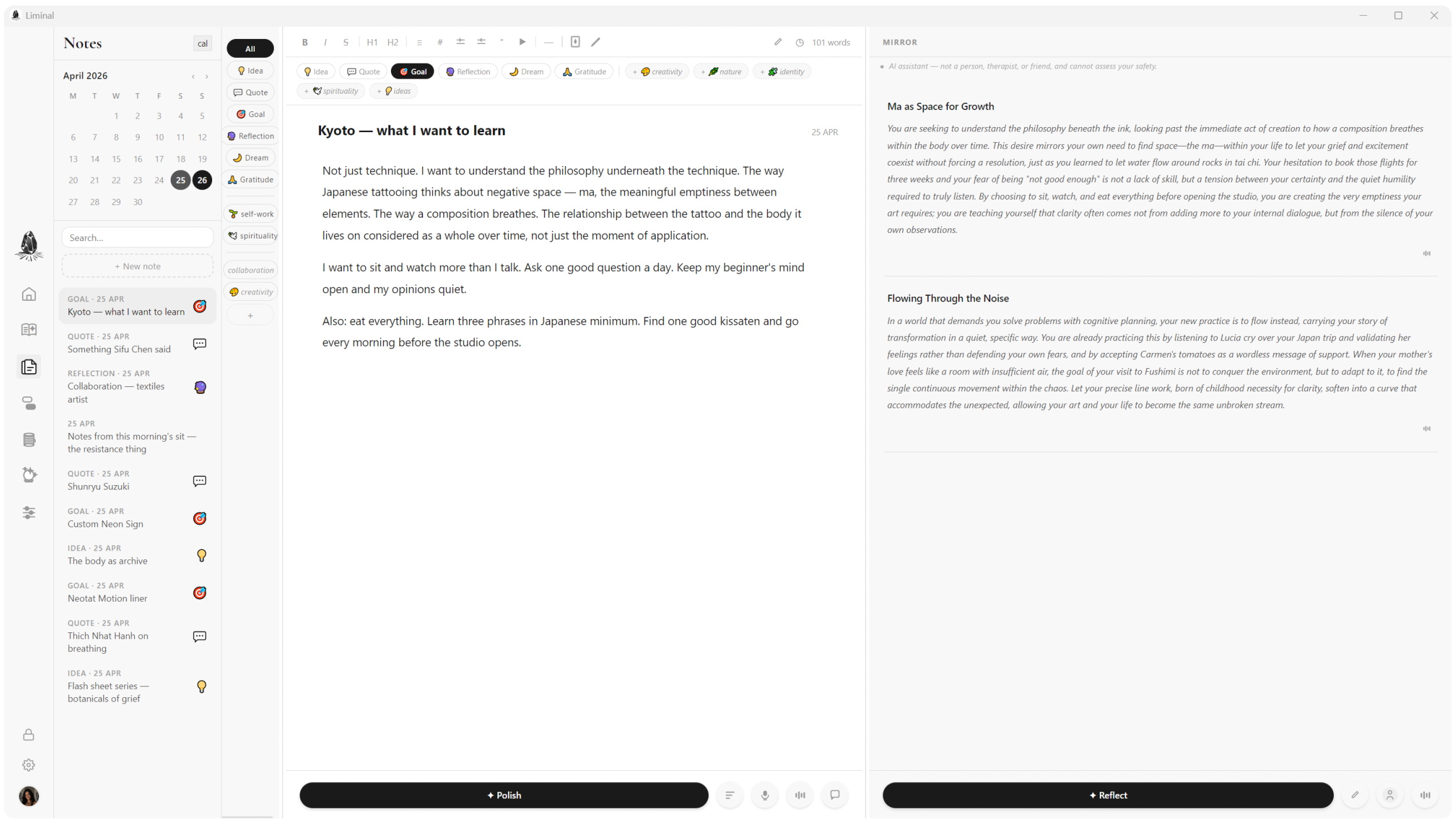
Notes
Notes. Quick captures for the things that won't wait.
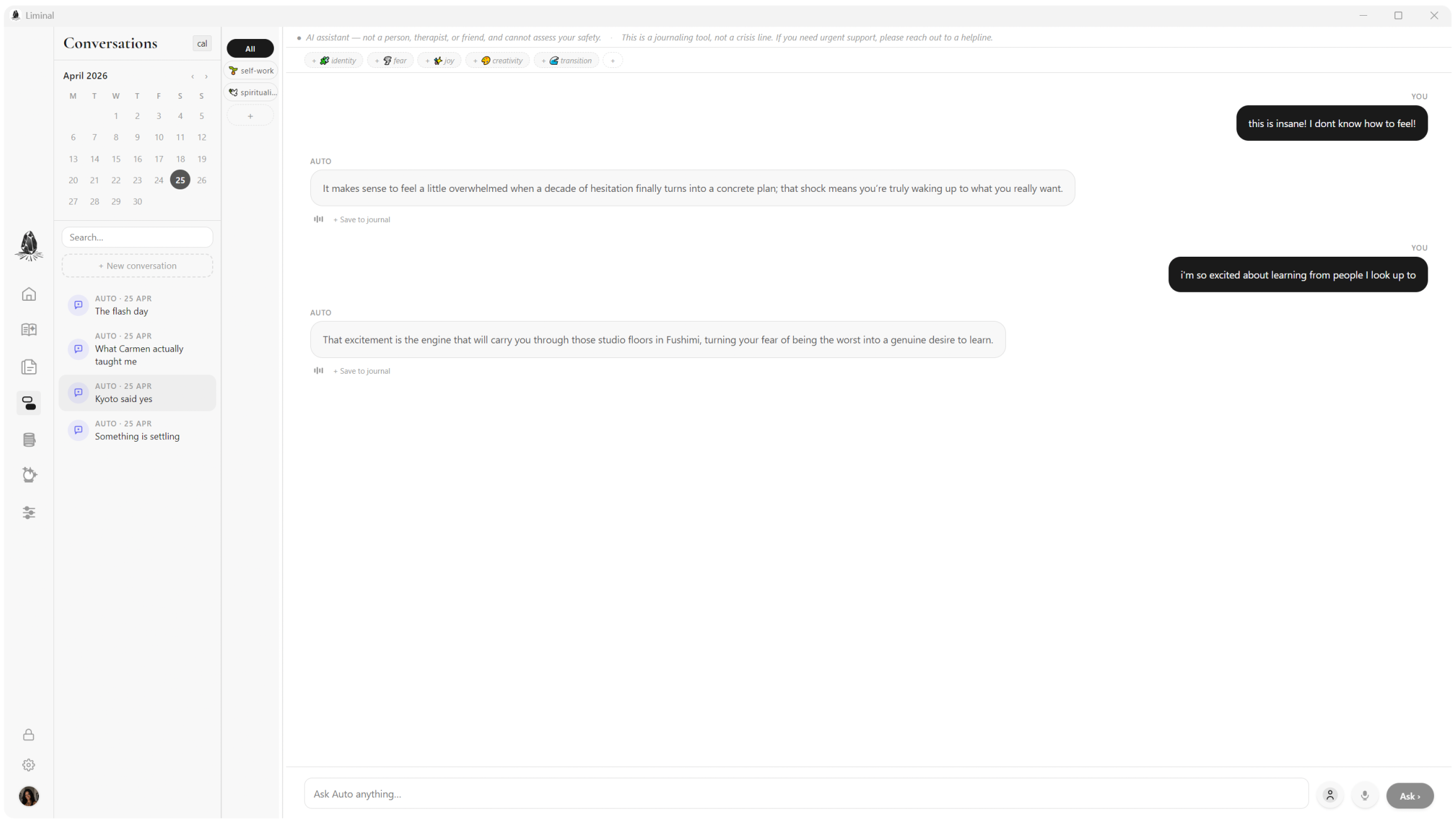
Oracle conversation
Conversations. Talk to something that listens differently.
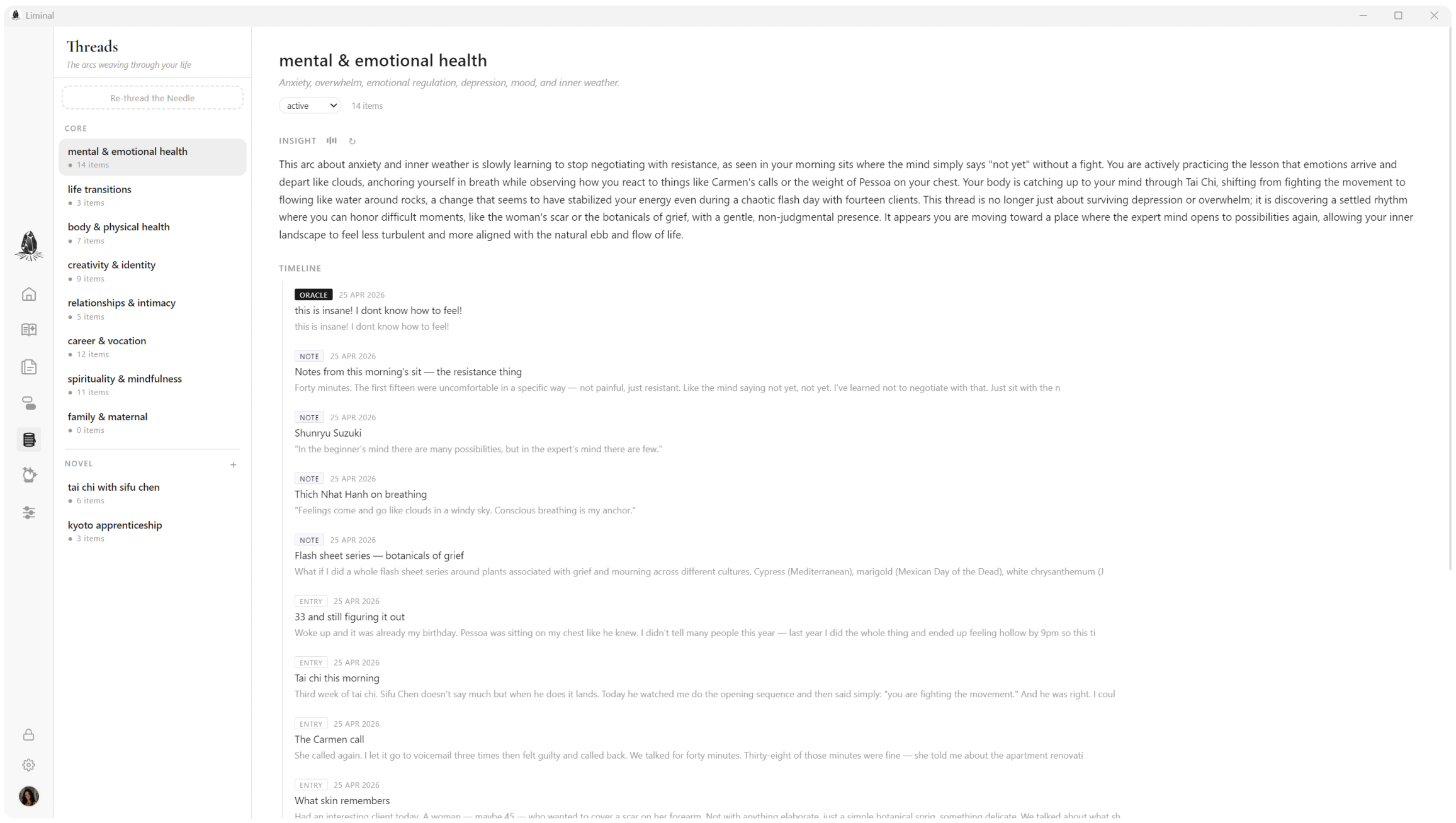
Threads
Threads. Your writing clusters into themes on its own.
Portrait generation
Portrait. It learns your face from your words.
Tarot spread
Cards. Pull a spread for whatever's on your mind.

How it knows you

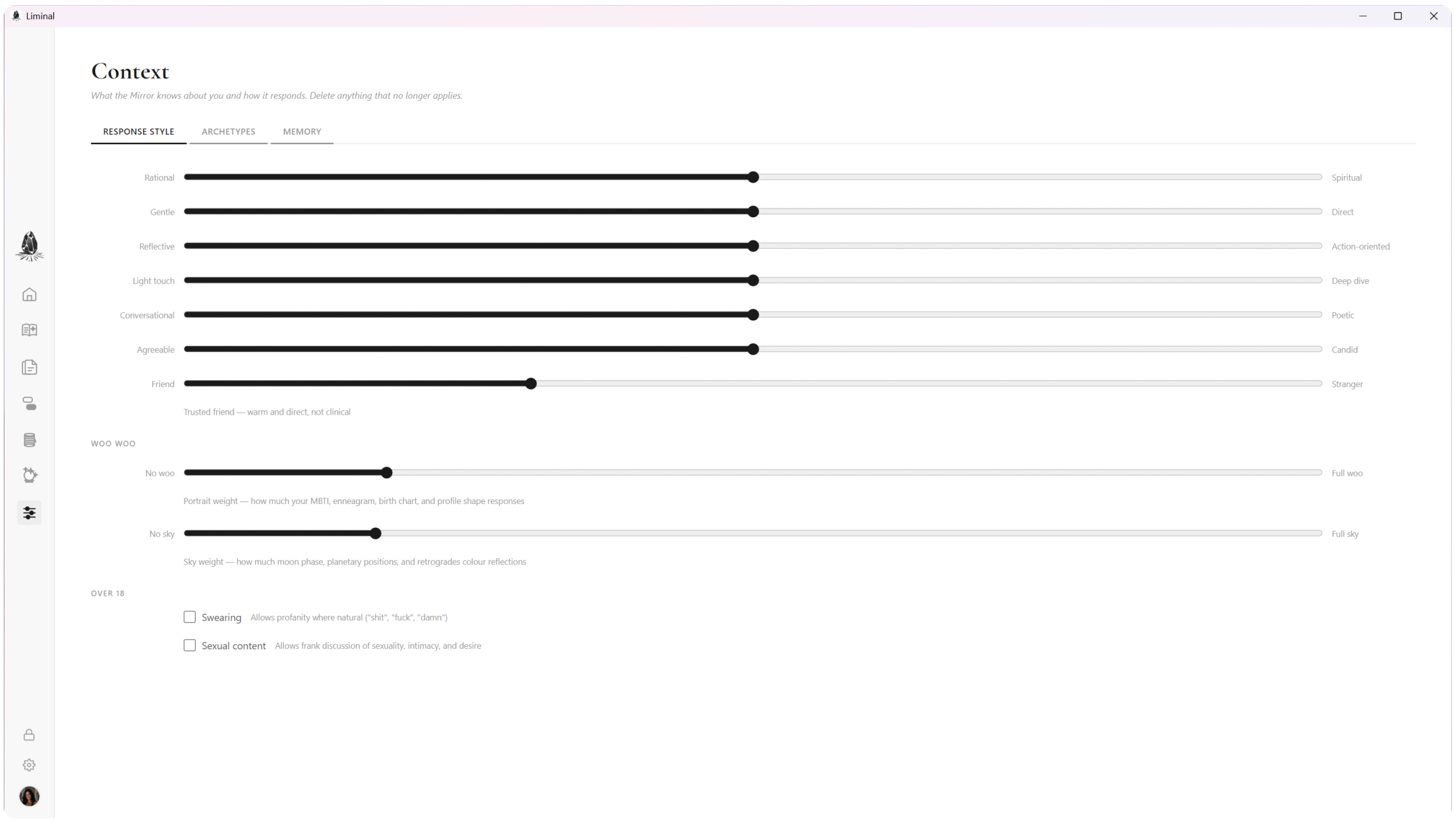
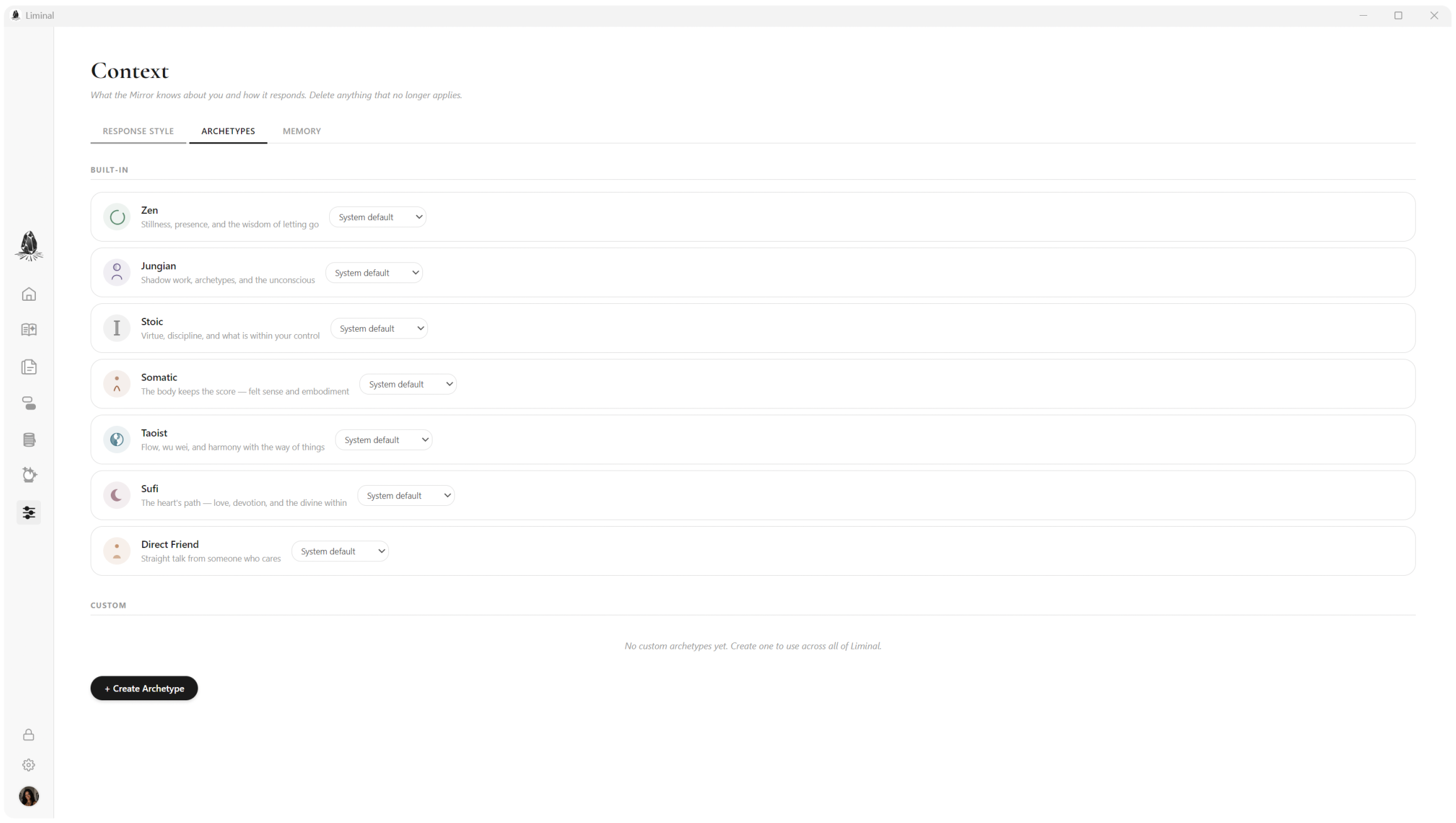
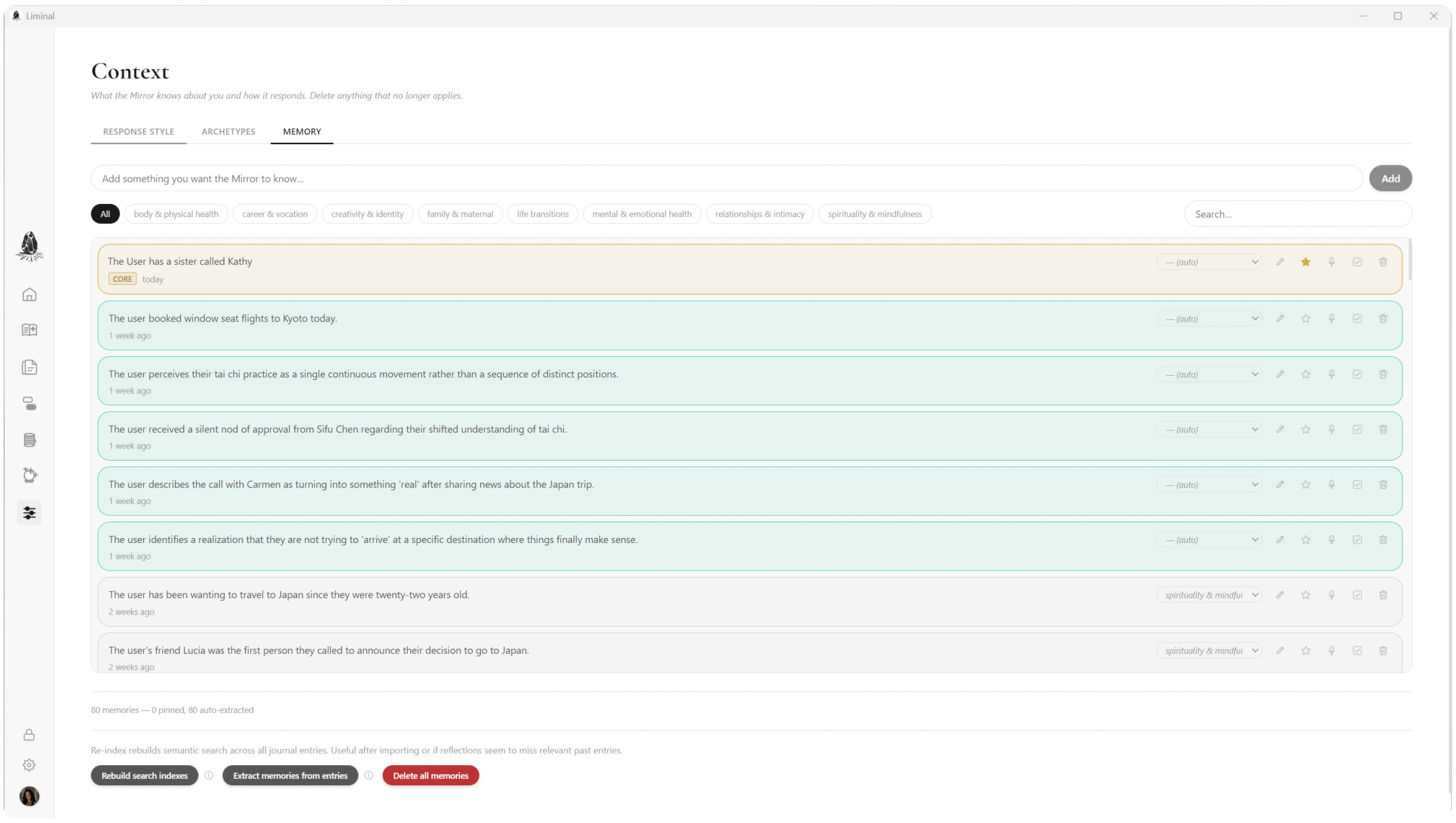
Liminal only knows what you tell it. You decide the tone it speaks in, whether gentle or direct, reflective or action-oriented. You choose which archetypal voices show up in your reflections. And every memory it holds about you is right there, editable and deletable. No hidden knobs, no learning behind your back.

Response style sliders
Response style. Dial it in however you want.
Archetype voices
Archetypes. Pick the voices that fit you.
Memory entries
Memory. See and edit every fact it holds.

Download

It's free. No account, no sign-up, no tracking. Just download and go.

First time installing? Your OS may show a security warning.

Windows

SmartScreen may say "Windows protected your PC."

  1. Click More info on the blue warning.
  2. Click Run anyway.

macOS

The first launch shows: "Liminal is an app downloaded from the internet. Are you sure you want to open it?" Apple has already checked it for malicious software.

  1. Open the downloaded .dmg and drag Liminal into the Applications folder.
  2. Open Liminal from Applications.
  3. Click Open in the dialog.

The macOS build is signed and notarized by Apple. The Windows build isn't code-signed yet (those certificates cost money I haven't spent yet), which is why SmartScreen complains. The source is public, so you can read the code to verify there's nothing sketchy. (License: PolyForm Noncommercial.)

See the full release list for checksums and older builds.